
Regular blog here, 'microblog' there
Many of my traditional blog post live on this site, but a great majority of my social-style posts can be found on my much-busier microbloging site at updates.passthejoe.net. It's busier because my BlogPoster "microblogging" script generates short, Twitter-style posts from the Linux or Windows (or anywhere you can run Ruby with too many Gems) command line, uploads them to the web server and send them out on my Twitter and Mastodon feeds.
I used to post to this blog via scripts and Unix/Linux utilities (curl and Unison) that helped me mirror the files locally and on the server. Since this site recently moved hosts, none of that is set up. I'm just using SFTP and SSH to write posts and manage the site.
Disqus comments are not live just yet because I'm not sure about what I'm going to do for the domain on this site. I'll probably restore the old domain at first just to have some continuity, but for now I like using the "free" domain from this site's new host, NearlyFreeSpeech.net.
My shared-hosting provider moved my account to a new machine, and along with all that newness came a new ssh key.
FileZilla figured it out right away and asked me if I wanted to accept the new key. (I did.)
But when trying to open an sftp connection in Thunar or Nautilus, I got a "Host key verification failed" error.
The solution was easy to find.
All I had to do was go to the .ssh folder in my home directory (/home/steven/.ssh for me; /home/your_account/.ssh for you) and get rid of the "old" ssh key from the old server.
I tried to re-connect to my shared-hosting account via sftp, the system asked me to accept the new ssh key, I did so, and now I'm back in sftp with this account via the Thunar file manager in Xfce.
It didn't take me days to figure it out, but getting this Fedora 18 system to recognize and actually print on my el-cheapo HP LaserJet 1020 should have been a whole lot easier than it turned out to be.
The system "recognized" the printer as soon as I plugged it in. I already had the hplip package installed, which I thought would help. Drivers were installed for me.
But as soon as I tried to print, nothing happened.
I raised a bug in Fedora over 3.9.x kernels that won't boot under EFI on my HP Pavilion g6-2210us laptop.
The latest patched kernel works for me. Thanks, Fedora users and developers!
Ubuntu's SABDFL ("self-appointed benevolent dictator for life," as he's known) Mark Shuttleworth just added comment No. 1834 to Ubuntu's Bug No. 1 -- "Microsoft Has a Majority Market Share" -- and closed the bug.
Sure, Ubuntu might have played a small part in knocking off Microsoft Windows as the dominant operating system for computing devices, but as Shuttleworth admits -- and I give him a whole lot of credit for doing so, it's more the move (especially in the consumer space) away from desktop/laptops to mobile and tablet devices running iOS and Android that has pushed Microsoft to the sidelines.
Coincidentally, I've also been thinking about Ubuntu's Bug No. 1 myself lately, and like SABDFL figuring that it should be closed.
I've spent just about a month with this new HP Pavilion g6-2210us laptop that shipped with Windows 8. That means UEFI and Secure Boot.
And new hardware. We all know how difficult Linux can be with new hardware.
During the aforementioned month, I did a lot of work in Windows 8. I sent up my whole environment. Even installed Perl. And Python. (It's not like I'm a big-time hacker or anything, but I aspire.)
But it's time for me to get back to Linux. Except that I'm having issues.
Linux on new computers is always dicey. Or it has been for me.
Right now I have a Windows 8-running (aka Secure Boot-equipped) HP Pavilion g6-2210us, and its AMD video chip is not playing nicely with 3D-accelerated video in Linux.
So GNOME 3 is unusable, Ubuntu's Unity is marginal.
But Xfce, in all it's 2D glory, looks perfect.
Read Dedoimedo's Linux-distro reviews, like these on Bodhi, Fedora, Netrunner and Crunchbang, this roundup of desktop environments and his top distros of 2012. And he loves CentOS.
No feelings are spared. If he likes it, you know he likes it. Also the other thing.
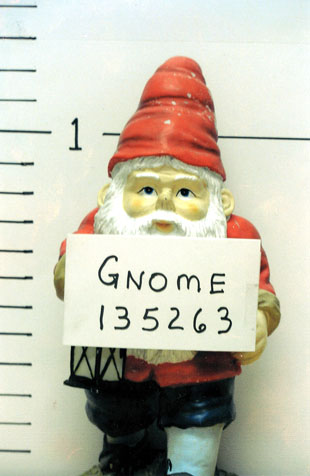
I'm testing Fedora 18 again. Yes, the live image. I didn't do an install, though I'm certainly thinking about it.
In this release's GNOME 3.6 desktop, at least a few applications -- all from GNOME proper -- like Nautilus are putting more functionality into the "global" menu that pops down from the app's icon in the upper panel.
While not catastrophic, it is problematic.
From where I sit, as long as most of an application's menu choices remain in its own window, putting anything in that app's panel-icon dropdown menu other than a superfluous "quit" does nothing to enhance the user experience.
More directly, having to go from the menu in the application's window to the additional menu in the upper panel to look for the functions you want just seems wrong.
For one thing, it kills discoverability, something that both GNOME 3 and Ubuntu's Unity seem overly fond of doing.
Fedora 18 has finally appeared in its final form after many delays. Largely responsible: a new Anaconda installer that has seen much criticism, mostly from users who like complicated manual partitioning. Not that there's anything wrong with that.
I've always liked Ananconda. As far as I know, it's the only installer that can create any number of encrypted partitions -- in or out of LVM (logical volume management) -- and allow me to unlock them with a single passphrase typed once during boot. It also appears to be the only installer that can create a fully encrypted LVM installation while allowing another operating system -- like Windows -- to remain on the same disk.
What I'm trying to say is if the Debian installer would do these two things, I'd be a happy, happy camper.
Back to Fedora 18, aka "Spherical Cow." (I do like funny distro names more than serious Fedora names or stupid Ubuntu animal ones.) F18 offers a whole bunch of desktop environments in relatively (to very) new versions: GNOME, Xfce, LXDE, KDE and now MATE and Cinnamon. No Unity. A pity, perhaps. Or not.
I downloaded the network-install ISO, from which I could theoretically install any one of these environments.
I also downloaded a live image of Fedora 18 with Xfce 4.10. For the past many months, I've been using Xfce 4.8 rather heavily in Debian Wheezy. Debian Wheezy is never, ever going to get Xfce 4.10, even via Backports, as far as I know. Not that there's all that much difference between 4.8 and 4.10.
I picked this up entirely by accident:
A few years ago, if you were running a graphical desktop under the X Window System in Linux and wanted or needed to kill the X server, you typed ctrl-alt-backspace.
When that "went away," I thought that was it.
But that's not it. You can do the same thing that ctrl-alt-backspace did with:
alt-PrintScreen-k
The "PrintScreen" is your print-screen key. Mine is labeled PrtSc.
So if you want to kill your X session from the keyboard, go right ahead.
Current time in UTC
Categories
Counter
There are 865 entries in this blog.
There are 294 images in the filesystem, 187 of which appear in actual posts.
Syntax highlighting
I am using Highlight.js for syntax highlighting.
Social updates
As I say at the top of this site, my social-style entries are posted to a separate Ode blog instance at updates.passthejoe.net. The Ruby script I use to do this is pretty ugly, but I released it on Github anyway. I started working on a version that is much more class-based (as in object-oriented), but that project stalled out a bit. I'm considering bringing this concept to Android, or doing it in Java with a JavaFX GUI, or doing it in Node.js for JavaScript practice.
Archive
The archive is not up to date due to the 2020 hosting migration. I plan to work on it.
Hello, world — this is my website
No databases were harmed in the making of this blog
You're seeing this blog, powered by Ode, through the magic of the Perl programming language and the Common Gateway Interface. Also involved: the Apache web server and Linux operating system.
Ode does not use a database to store content. Instead, every entry exists on the web server as a "flat" text file.
Comments are managed via Disqus, integrated through the work of Ode project leader Rob Reed.
Counter and categories: Thanks to Rob Reed for his help on the Counter addin, which provides the post-count and category features seen above. The show/hide feature is coded with inline JavaScript.
E-mail: stevenhrosenberg@gmail.com.
Who am I
and why am I here?
My name is Steven Rosenberg. Journalist. Programmer. Husband. Father. Fixer of the broken.
License
CC BY-NC-SA

Frugal technology, simple living and guerrilla large-appliance repair by Steven Rosenberg is licensed under a Creative Commons Attribution-NonCommercial-ShareAlike 4.0 International License.
Archives
By year and month
Links
My sites
- RSS of this blog
- Microblog of short posts
- Steven Rosenberg (WordPress)
- Click
- Come on Feel the Nuys
- Steven Rosenberg on Twitter
Ode sites
I support the open web
Powered by
