
Regular blog here, 'microblog' there
Many of my traditional blog post live on this site, but a great majority of my social-style posts can be found on my much-busier microbloging site at updates.passthejoe.net. It's busier because my BlogPoster "microblogging" script generates short, Twitter-style posts from the Linux or Windows (or anywhere you can run Ruby with too many Gems) command line, uploads them to the web server and send them out on my Twitter and Mastodon feeds.
I used to post to this blog via scripts and Unix/Linux utilities (curl and Unison) that helped me mirror the files locally and on the server. Since this site recently moved hosts, none of that is set up. I'm just using SFTP and SSH to write posts and manage the site.
Disqus comments are not live just yet because I'm not sure about what I'm going to do for the domain on this site. I'll probably restore the old domain at first just to have some continuity, but for now I like using the "free" domain from this site's new host, NearlyFreeSpeech.net.
I have a plan for 2016 to dramatically increase my programming knowledge and experience.
When that plan is further along -- I'd say I'm at 25 percent this week, will be at 50 percent next week and 100 percent by the end of the month, I will provide the details. But I can promise that I plan to do more and make more progress in 2016 than any year previous.
I am aiming to use git and/or GitHub for as much of my programming workflow as possible, both for my new projects and practice as well as my previous projects, however small (or ungainly) they are.
The key is balancing this new push to learn with my home, family and work lives. I hope I can do it.
News that the random number generator in JavaScript was fixed (I didn't know it was broken) prompted me to wonder how easy (or hard) it is to generate a random integer between 1 and 100 in as many languages as I could.
Of course I used Google and the sites it found for me to come up with these methods.
Generating random numbers is important in programming, and it's very important that those numbers be truly random. That's why the problem with JavaScript's random numbers seems so serious, especially with JavaScript's ubiquity not just on the client (where it's carrying a heavier load than ever) but now the server via Node.js.
So you want to generate a random number between 1 and 100? Here are n ways to do it:
Random numbers in various computer languages:
JavaScript
Use node to run this line in your terminal (you do have node installed on your computer, right? If not, you should):
Math.floor(Math.random() * 100) + 1
Ruby
It's even easier in Ruby (use irb to run this in the console):
rand(100) + 1
Python
In Python, it takes a couple of lines. You can run this in the python console (type python at the command line, then start typing your commands):
import random
print(random.randint(0,100))
Groovy
I have been experimenting with Groovy, a dynamic language that uses the JVM (the Java Virtual Machine). If you have Groovy installed, start the graphical Groovy console with the command groovyConsole.
Math.abs(new Random().nextInt() % 100 + 1)
Perl
While Perl doesn't have an interactive shell like Ruby and Python, you can run a one-liner from a terminal using the perl command. Here is a random number between 1 and 100 in Perl:
perl -le 'print int(rand(100)) + 1'
Bash
You can also do it in the Bash shell with $RANDOM:
echo $RANDOM % 100 + 1 | bc
Analysis: Ruby offers the easiest, most elegant way to generate a random integer from 1 to 100 with a one-liner. But you can do it in most every dynamic language.
Notes: I'm sure this can be done in a Perl one-liner
I like options. And contingency plans.
So I've been adding development tools to my Windows partition (currently stuck on Windows 8 since the 8.1 upgrade won't play nicely with my Win 8/Fedora dual boot).
I upgraded Strawberry Perl, added Ruby and Node, made sure I had the full JDK 8 and removed an older version of Python. I downloaded a new Python but haven't installed it yet (mostly because I'm not using Python at the moment).
I also have Netbeans ready to install, and I'm thinking of giving Geany a try in Windows. I use it a lot, especially these days for Java because I can compile and run in the editor. Otherwise I use Notepad++ for my editing.
I don't have everything working on this side, but I can certainly mess around with Perl, Ruby, Java and JavaScript. I know I could get a full Linux command line environment with Cygwin, and while I'm not yet ready to say that defeats one purpose or other, it's not something I'm considering at this particular moment.
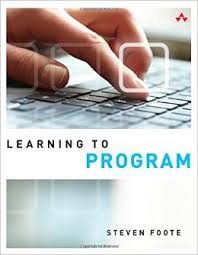
I am reading "Learning to Program," by Steven Foote, an introductory programming guide focused on JavaScript with a novel twist: Lessons are taught through the creation of Google Chrome browser extensions.
I'm only on Chapter 2, but things I already like about the book: It's for beginners but doesn't act like Node.js isn't a thing, I really like the idea of creating browser extensions, and it looks like it goes through a good number of programming concepts.
And Mr. Foote's writing style is clear and inviting.
I build an app, Part 1: Hashes (aka key-value pairs) are easy in JavaScript (and even in Java) ... plus my coding bio
I like to learn by doing. I'm reading and typing in code and futzing around with it. But I had an idea, and I'm betting I can learn what I need to make it happen.
The idea is a "What is this acronym?" app, where there's a web page, the user types in an acronym (or partial acronym) and gets in return a list of possible full names for that acronym.
Nothing too crazy, and I'm going to keep it as simple as I can.
I want to do it as a single-page JavaScript app. Call it "just a web page with some interactive JavaScripty elements." Is that an "app"? (Don't know, don't care).
I'm choosing JavaScript for this project because I want to keep it simple. And I want to learn JavaScript.
Today I started playing with Java arrays.
I'm also trying to figure out JavaScript objects at the same time.
(The Javascript is for a project I'm cooking up. I'll focus when I'm ready to focus.)
Time has been a little tight over the past couple of weeks, but I had an "opening" today that I used to work on Java. Beginning Java. Very beginning Java.
I'm using the Oracle Java tutorials. You can download the whole thing as HTML in a .zip, or as epub and mobi files.
I have both the full HTML and the mobi version, which is made up of 20 separate .mobi files that I emailed to my Amazon Kindle reader because a) I'm too lazy to plug it in to the computer and b) they offer e-mail-to-Kindle, so why not use it.
I'm going through the material slowly, typing in the programs when that seems appropriate and using javac to compile and java to run them.
I've been coding a little every day.
Way back, say a year ago, I could write code in the course of my job.
Not so much lately. I'm just too busy and focused on news production and other requests.
So I've been taking my "lunch" time (a loose term when you start work at 5 a.m.) to walk a bit, laptop bag in hand, to a coffee shop (Starbucks/Coffee Bean/Western Bagel depending on seating) to do a little coding.
In the past two days I've worked on my Ode Counter addin in Perl (which is live in the upper right side of this blog, and played around with writing files in Node.
It's a little time every day, and so far it's been fun.
The documentation for Go (aka Golang) is peppered with examples, and one of those examples, for Go's net/http package, shows you how to easily create a file server.
net/http is part of Go's standard library
Here is the example code from golang.org/pkg/net/http:
package main

import (
    "log"
    "net/http"
)

func main() {
    // Simple static webserver:
    log.Fatal(http.ListenAndServe(":8080", http.FileServer(http.Dir("/usr/share/doc"))))
}
When you drop this code into a file in a directory (in my case I made the directory web_server and named the file main.go), then either compile it with go build or run it with go run, it creates a web server on port 8080 that serves the contents of your /usr/share/doc directory, which always exists in Linux and Unix (and probably in the Mac OS X version of Unix).
To see the results, open a web browser and go to http://localhost:8080/, and you should see a directory listing. Just like any web page, you can click on the links and see what's in those files.
This example program -- a web server in five lines -- is fun to play around with. You can change the http.Dir and serve "real" web content. You can change the port from :8080 to something else.
Last year I decided to write a short script that outputs the time/date-stamp line required for Ode's Indexette add-in.
Back in 2014, I did it in Perl, Ode's "mother" language. It's really just a two-liner with a whole lot of notes:
(Due to a quirk of Ode formatting and the $ character, I'm rendering this program via a Github Gist)
I've been playing around with lots of other languages since then. I know I should stick with one and really learn it, but for now it is what it is.
I decided to try to get the same output from the Google-created go (aka golang) programming language, and with the help of this web page, I was able to hack it together pretty quickly:
package main

 import (
    "fmt"
    "time"
 )


 func main() {

    // get the current time in UTC

     indexette_time := time.Now().UTC()

    /* print the time to standard output in the format
    required by Ode's Indexette add-in. Note that the
    .Format parameters use an "old" date just to set
    the format, the output will be the current time
    due to the use of time.Now() */

     fmt.Println("tag : Indexette : index-date :", indexette_time.Format("2006 01 02 15:04:05"))

}
I'm still calling the script into gedit the same way (through Snippets), and it works just as well as the Perl version.
One thing I just learned about go that's pretty cool is you can run your go program as a script, or compile it as a binary and run that. Advantages of a binary are that it's portable -- anybody with a system for which the binary is built can run it without needing to install go on their own system. And the binary should run faster than the script, though this is admittedly not an issue for three lines of code.
But it's cool anyway.
In the case of this script, I named it ode_time. Through experimentation, I figured out that the go build program that makes the binaries takes their name from the directory containing the file. So since I wanted the go binary to have the same name as the file, I gave the directory the same name, too:
My script file is here (I'm leaving out most of the path, but suffice it to say this is the place where I keep my program files):
/golang_code/ode_time/ode_time.go
I run the uncompiled script this way while in the /ode_time directory:
$ go run ode_time.go
I get this output:
Perfect!
I wanted to make a binary just because.
Here's how I did it. I am working in the /ode_time directory that contains ode_time.go:
$ go build ode_time.go
Now the directory contains two files:
ode_time ode_time.go
The first is the binary (which was automatically made executable by the go build command), and the second is the "raw" go script.
So I can now run the binary from my console like I'd run any binary that isn't in my path:
$ ./ode_time
And I get the same output.
The takeaway: I wanted to write a go program, and with the help of the Internet (and people who actually know how to do these things), I did it. And it was a program that I use on a daily basis -- whenever I write a blog post for my Ode system.
I like the idea of go, which is the language used by the Hugo static blogging system. The documentation seemed OK, but I did have to go "off the reservation" to find an example that I could work off of.
I'll clearly have to seek out tutorials and books if I want to pursue programming with go. Fortunately there are a few go books about to be released, and that might help me figure it out.
Current time in UTC
Categories
Counter
There are 865 entries in this blog.
There are 294 images in the filesystem, 187 of which appear in actual posts.
Syntax highlighting
I am using Highlight.js for syntax highlighting.
Social updates
As I say at the top of this site, my social-style entries are posted to a separate Ode blog instance at updates.passthejoe.net. The Ruby script I use to do this is pretty ugly, but I released it on Github anyway. I started working on a version that is much more class-based (as in object-oriented), but that project stalled out a bit. I'm considering bringing this concept to Android, or doing it in Java with a JavaFX GUI, or doing it in Node.js for JavaScript practice.
Archive
The archive is not up to date due to the 2020 hosting migration. I plan to work on it.
Hello, world — this is my website
No databases were harmed in the making of this blog
You're seeing this blog, powered by Ode, through the magic of the Perl programming language and the Common Gateway Interface. Also involved: the Apache web server and Linux operating system.
Ode does not use a database to store content. Instead, every entry exists on the web server as a "flat" text file.
Comments are managed via Disqus, integrated through the work of Ode project leader Rob Reed.
Counter and categories: Thanks to Rob Reed for his help on the Counter addin, which provides the post-count and category features seen above. The show/hide feature is coded with inline JavaScript.
E-mail: stevenhrosenberg@gmail.com.
Who am I
and why am I here?
My name is Steven Rosenberg. Journalist. Programmer. Husband. Father. Fixer of the broken.
License
CC BY-NC-SA

Frugal technology, simple living and guerrilla large-appliance repair by Steven Rosenberg is licensed under a Creative Commons Attribution-NonCommercial-ShareAlike 4.0 International License.
Archives
By year and month
Links
My sites
- RSS of this blog
- Microblog of short posts
- Steven Rosenberg (WordPress)
- Click
- Come on Feel the Nuys
- Steven Rosenberg on Twitter
Ode sites
I support the open web
Powered by
